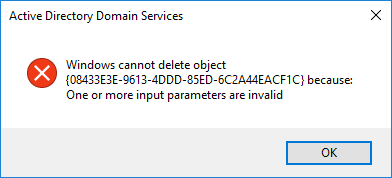
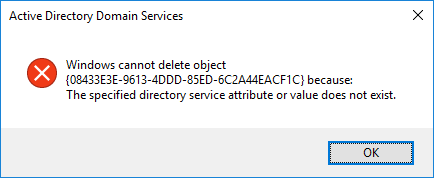
A Group Policy Object (GPO) cannot be deleted. An attempt to delete the Active Directory object results in the error: "The specified directory service attribute or value does not exist".
Attempts to correct permissions or change the owner of the GPO may fail, even when performed using an administrative account.
This issue can occur if permissions on the GPO have been modified incorrectly.
In the observed case, CREATOR OWNER had been accidently denied Read permissions on the GPO. In an attempt to fix it, CREATOR OWNER was set as the owner of the GPO in Active Directory. This left the GPO in a state where ownership and permissions could not be easily corrected through normal administrative procedures.
It was not conclusively determined whether the CHKDSK operation helped. Simply restarting the Windows Server 2016 domain controller may have been all that was required.
Exercise caution when modifying ownership and permissions on Group Policy Objects. Incorrect use of CREATOR OWNER permissions or explicit Deny entries can prevent administrators from managing the object and may require significant remediation effort.
Date Created: Thursday, 15 August 2019, 11:30 PM