Remote Desktop sessions disconnect shortly after connecting because of a protocol error (code: 0x112f).
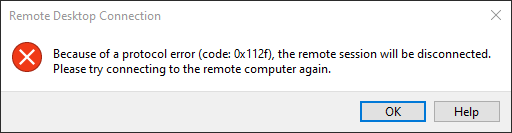
The exact cause is unknown. However, the issue appears to be related to the use of H.264/AVC hardware encoding for Remote Desktop sessions.
This issue was observed after upgrading to Windows 10 20H2 and NVIDIA GeForce driver version 457.30. The graphics card used at the time was a GeForce GTX 1650.
Disable H.264/AVC hardware encoding for Remote Desktop connections.
    Computer Configuration
        └─ Policies
            └─ Administrative Templates
                └─ Windows Components
                    └─ Remote Desktop Services
                        └─ Remote Desktop Session Host
                            └─ Remote Session Environment
                                └─ Configure H.264/AVC hardware encoding for Remote Desktop Connections
Disabling H.264/AVC hardware encoding forces Remote Desktop Services to use software-based encoding instead of GPU-based encoding. This may resolve compatibility issues between specific Windows builds and graphics driver versions.
Date Created: Wednesday, 18 November 2020, 11:29 AM