The virtual machine fails to start and stops after a few seconds. Hyper-V displays an error indicating that the virtual machine cannot access the virtual hard disk (VHDX) file. This issue occurred on a Windows Server 2016 Datacenter Hyper-V host.
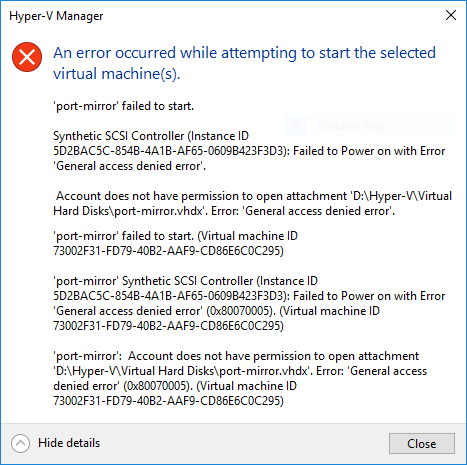
Check the ACL permissions on the VHDX file. In most cases, the virtual machine's security identifier (SID) is missing from the file permissions.
Compare the permissions on the affected VHDX file with those of a working virtual machine to confirm whether the required SID entry is missing.
Get-VM 'New Virtual Machine' | Select-Object VMIDicacls ".\port-mirror.vhdx" /grant "NT VIRTUAL MACHINE\73002f31-fd79-40b2-aaf9-cd86e6c0c295:RW"After the correct permissions have been applied, start the virtual machine again and verify that it boots successfully.
Date Created: Saturday, 31 August 2019, 10:55 PM