Enable RDP 8.0 UDP (DTLS) Support on Windows 7 and Server 2008 R2
Issue
Remote Desktop sessions to Windows 7 and Windows Server 2008 R2 systems may feel sluggish, particularly over slow
or high-latency network connections.
When viewing the connection information for an RDP session, UDP transport may not be in use, resulting in all
traffic being transmitted over TCP.
Cause
Windows 7 and Windows Server 2008 R2 do not support Remote Desktop Protocol (RDP) 8.0 and Datagram Transport
Layer Security (DTLS) by default.
UDP transport support was introduced with RDP 8.0 and requires specific Windows updates to be installed before
it can be enabled. In addition, the required Group Policy settings must be configured to allow the use of both
UDP and TCP transport protocols.
The Enable Remote Desktop Protocol 8.0 policy may not be available when using newer Windows
10
or Windows 11 ADMX templates because the policy has been deprecated.
If the policy is unavailable, configure the setting using a Group Policy Registry Preference:
Apply Group Policy changes and reboot the Windows 7 or Server 2008 R2 system.
Reconnect using Remote Desktop.
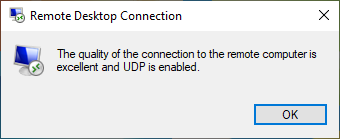
Open the connection information dialog from the Remote Desktop client and verify that UDP transport is in
use.
Benefits
When UDP transport is enabled, Remote Desktop can provide a smoother and more responsive user experience,
particularly across slower WAN links and high-latency network connections. UDP reduces the impact of packet
retransmissions and network congestion that can affect TCP-based RDP sessions.